| DMF |
010204 PROSPECTING OPPORTUNITIES SEARCH |
The Sales Portal is used to search for opportunities based on specific search criteria.
The search screen of opportunities can be accessed from the Sales Portal in the Sales module > Opportunities.
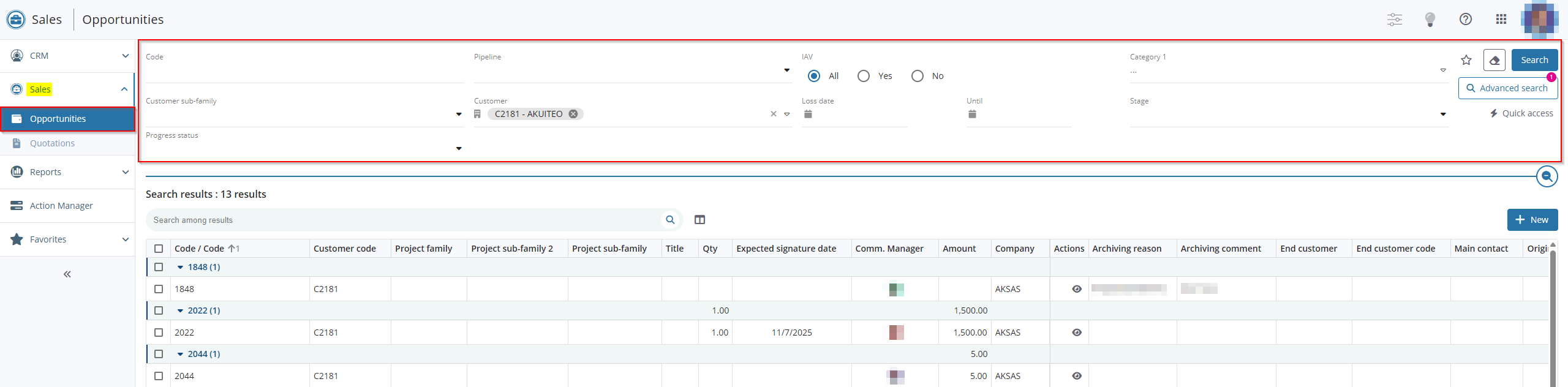
From the Opportunities menu, various searching methods are available depending on your needs.
Reference
For more information about searching, refer to Performing a search.
Search results are then displayed in a table. These results can be used by employees to only display relevant information, for example by sorting the opportunities or exporting the results under Excel.
Reference
For more information about the setup of results in table view, refer to Managing results in table view.
 Opening search results
From the search screen, click on  in the Actions column to open a search result.
Tip
Ctrl+click on the icon allows you to open the object in a new tab of the browser.


