| DMF | 040904 PURCHASES TEMPORARY INVOICES SEARCH |
The search screen of temporary invoices is available from the Purchase Portal in the Temporary invoices menu.
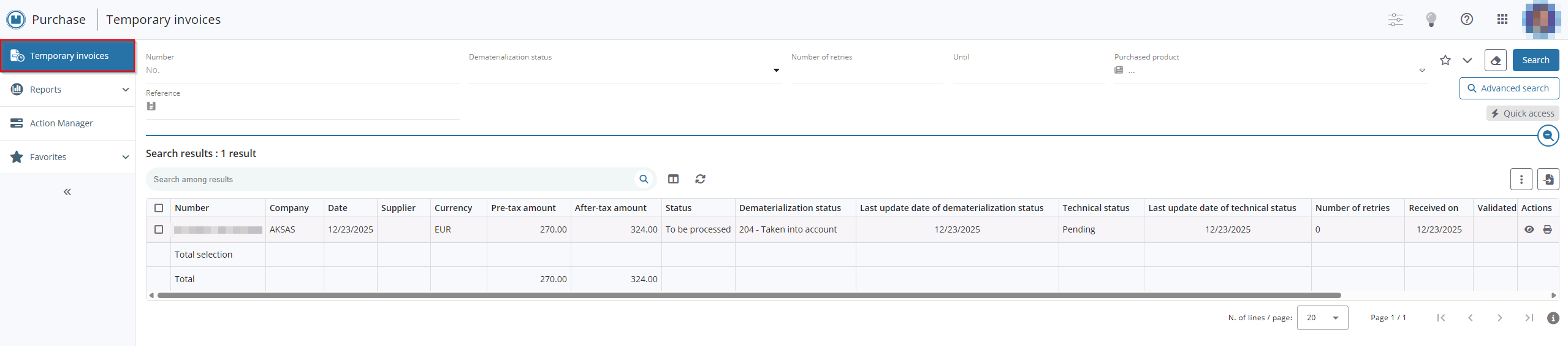
Various search methods are available depending on your needs.
Reference
For more information about searching, refer to Performing a search.
When a search for temporary invoices is started, results are displayed in a table in the Search results section.
Icons are present in the Actions column of each result:
-
 to open a temporary invoice. You can use Ctrl + click on that icon to open the temporary invoice in a new tab. This feature requires the DMF 040906 PURCHASES TEMPORARY INVOICES VIEW.
 -
 to download the PDF of the temporary invoice. This feature requires the DMF 040905 PURCHASES TEMPORARY INVOICES DOWNLOAD PDF FROM SEARCH.
Reference
For more information about the setup of results in table view, refer to Managing results in table view.


