Important
This feature requires the feature flag Sales portal Domain > Statut Vente Facturx Label.
| DMF |
020202 SALES QUOTATIONS MODIFY 020226 SALES QUOTATIONS MODIFY QUOTATION SUBMITTED FOR APPROVAL 020213 SALES QUOTATIONS MODIFY VALIDATED QUOTATION 020217 SALES QUOTATIONS MODIFY SIGNED QUOTATION 020225 SALES QUOTATIONS MODIFY UNSIGNED ORDERED QUOTATION 020234 SALES QUOTATIONS MODIFY REVIEWED QUOTATION |
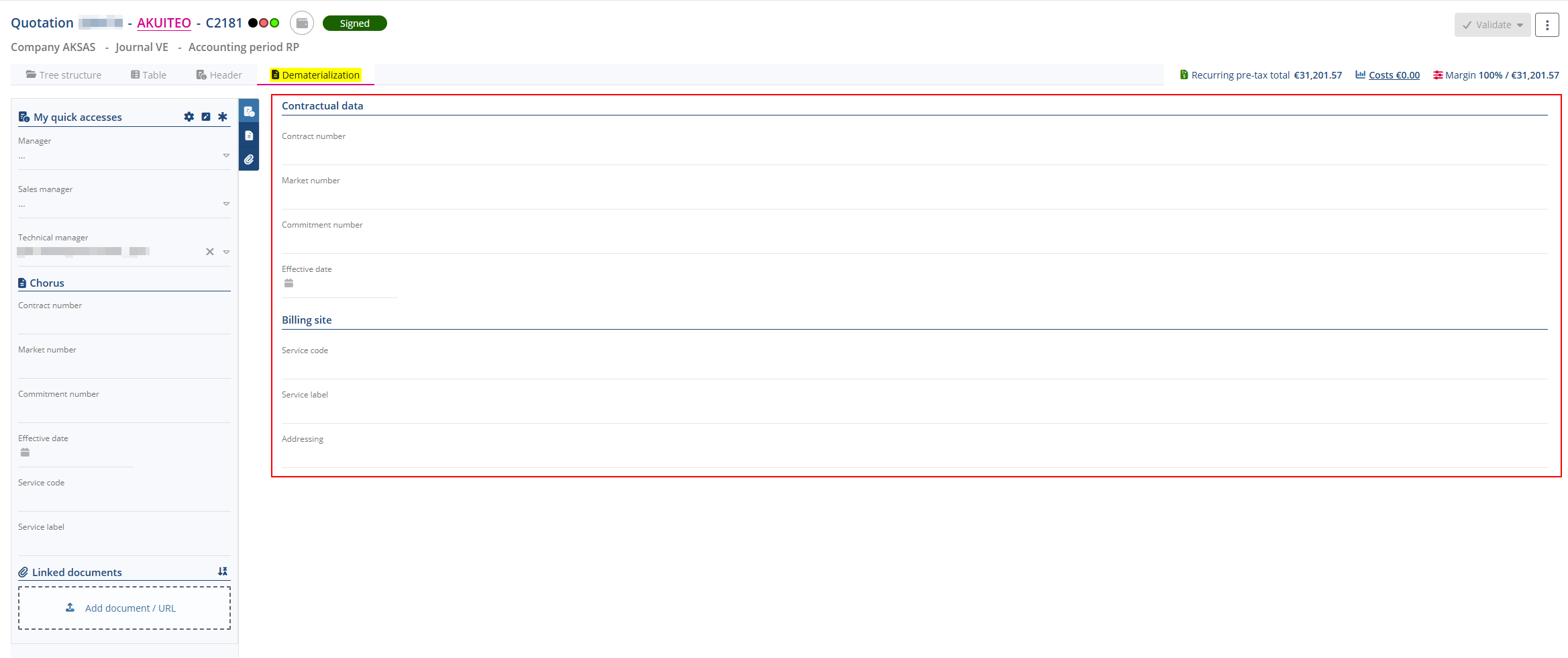
You must specify certain specific fields in order to prepare the invoice for dematerialization. To plan ahead, you can choose to enter this information as early as the quotation stage.
Click on Dematerialization from the tabs to display dematerialization information and the panel that is used to manage various information about the quotation (quick accesses, linked documents, etc.).
Important
In order to modify a validated quotation, the DC_MAJ_VALID or MAJ_PIECE_VALIDmanagement rule must be enabled and the connected user must have the DMF 020213 SALES QUOTATIONS MODIFY VALIDATED QUOTATION.
Reference
For more information about the panel, refer to Managing the Header tab of a quotation.
The Dematerialization tab allows you to view and modify information relating to invoice dematerialization.
By default, the following fields correspond to the information from the object’s billing site. If needed, this information can be modified on the object:
| Section | Field | Description |
|---|---|---|
| Contractual data | Contract number | Contract number associated with the invoice. |
| Market number | Identifier corresponding to the contract or tender associated with the invoice. | |
| Commitment number | Sales order number associated with the invoice. | |
| Effective date | Effective date of the commitment, the contract or the project group. | |
| Billing site | Service code |
Routing code used to identify the customer’s billing site on the Approved Platform. By default, the Service code from the billing site is specified (see Managing the dematerialization information). |
| Service label |
Customer's name. By default, the Service label from the billing site is specified (see Managing the dematerialization information). |
|
| Addressing |
Email address of the Factur-X recipient on the customer’s billing site. By default, the Addressing from the billing site is specified (see Managing the dematerialization information). |
|
| Cash journal |
Cash journal associated with the billing site as part of invoice dematerialization. By default, the Cash journal from the billing site is specified (see Managing the dematerialization information). The help list displays cash journals of the company used for connection. If the payment method of an invoice is Transfer or Currency transfer, and the Cash journal is not specified in the Dematerialization tab:
|


