| DMF | 5002** MOBILE TIMESHEETS * |
From the Akuiteo Mobile application, tap  from the menu bar to access the Timesheet & schedule menu.
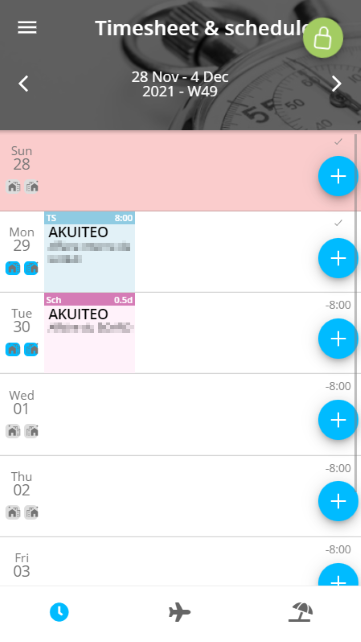
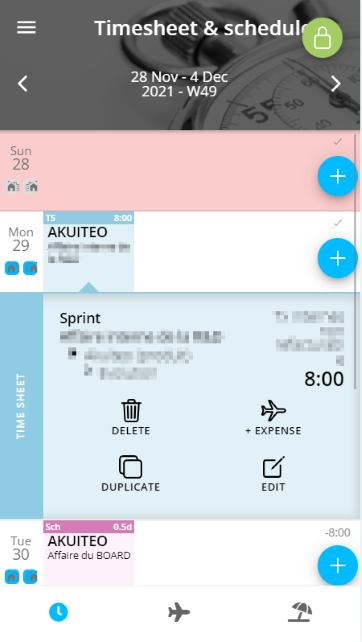
The application displays the current weekly view. Use the arrows in the header of the screen to switch from one week to another.
Timesheets and schedules are displayed in blocks in the application calendar:
- blue blocks correspond to timesheets;
- pink blocks correspond to schedules;
- gray blocks correspond to validated timesheets.
For each day, it is possible to add new timesheet or schedule blocks, by tapping  for the corresponding line. The remaining time to input for the day is indicated above each icon.


